VeneeringTake Heed! This was my first attempt at veneering, so I cannot provide instructions or tips for one to follow. I can relate my process in the hope that others will be adventurous and try veneering as well.
Most GR Research speaker plans included a rounded-over speaker baffle to reduce edge diffraction. The NX-3 towers were pictured on their website with rounded front, top, and rear corners. I wanted to use veneer but could not determine how to join the complex corner where three rounded edges met, so I rounded over only the front vertical edges at a 3/4” radius. I then started searching the Internet for veneering instructions.
I was fortunate to find the site for Veneer Supplies (
https://www.veneersupplies.com/) that had a section at the bottom of the page called, “Learn More About Veneering.” This is a great site: look it up! After some reading, I decided to try paper-backed veneer attached with contact cement: that way, I wouldn't need a vacuum bag. I first bought their
Paper Backed Veneer Starter Kit and applied a letter-sized sheet of veneer to a rounded-over corner I made from scrap material, as seen in figure 23.
Figure 23: Practice Veneering on Scrap Rounded Corner.

When this veneer didn’t bubble up but stayed put, I ordered a large sheet of quarter-sawn walnut veneer. When I started, I didn’t consider that veneer is usually made up of pieces of wood that are five or six inches wide. I think this is called slip matching. The joints leave lines in the veneer about which the wood grain is mirrored. I am picky and didn’t want the mirror lines to be offset from the center line of the cabinet front, so I had to offset my cuts of veneer, which in turn led to more waste and required me to get more veneer than I first thought. If you are as new to veneering as I am, then it is important that you include this in your plans before ordering veneer.
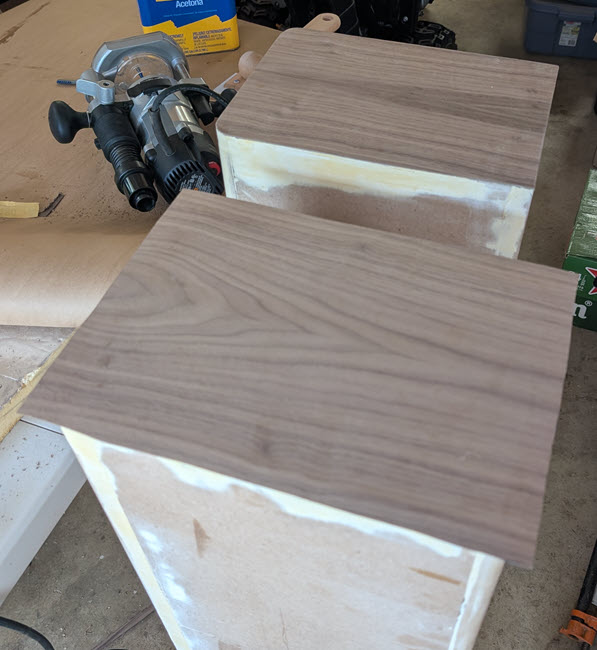
I decided to apply the veneer to the bottoms first, then to the backs, then a big sheet that wrapped from one side across the front and over the other side. I finished off with the tops. This approach minimized the number of viewable seams where veneer panels met. The fact that the veneer supplier used a dark paper medium also made the seams hard to see. I used a flush-cut 1/4” router bit to trim the veneer to match the cabinets once the contact cement cured, as shown in figure 24. Note that the seams where the veneer pieces join are centered on the cabinets. Once the veneer is placed on the cabinet, it is pressed together using a veneer scraper, moving along the grain, never across it, to achieve maximum strength bond. Most manufacturers recommend scraping the surface twice. I used the centerline technique discussed on the
www.veneersupplies.com website.
Figure 24: Veneering the Bottoms: Before and After Trimming the Edge.
Jon Peters, who authors
Longview Woodworking on
YouTube, noted that
the flush cut bit in the router will often get caked with contact cement (as seen in figure 25) so periodically I'll clean the router off with WD-40. I use a cordless router, so I just take the battery out when I'm doing something like that. If it's a corded router, I would unplug it before cleaning off the router bit. Before you put it onto your project, turn the router on and onto the side and let any WD-40 that might be in the bearing or something fling out so it doesn't get on your project.<
https://www.youtube.com/watch?v=Y8V3w0PUkYM&pp=ygUcRnVtZWQgRXVjYWx5cHR1cyB3b29kIHZlbmVlcg%3D%3D>
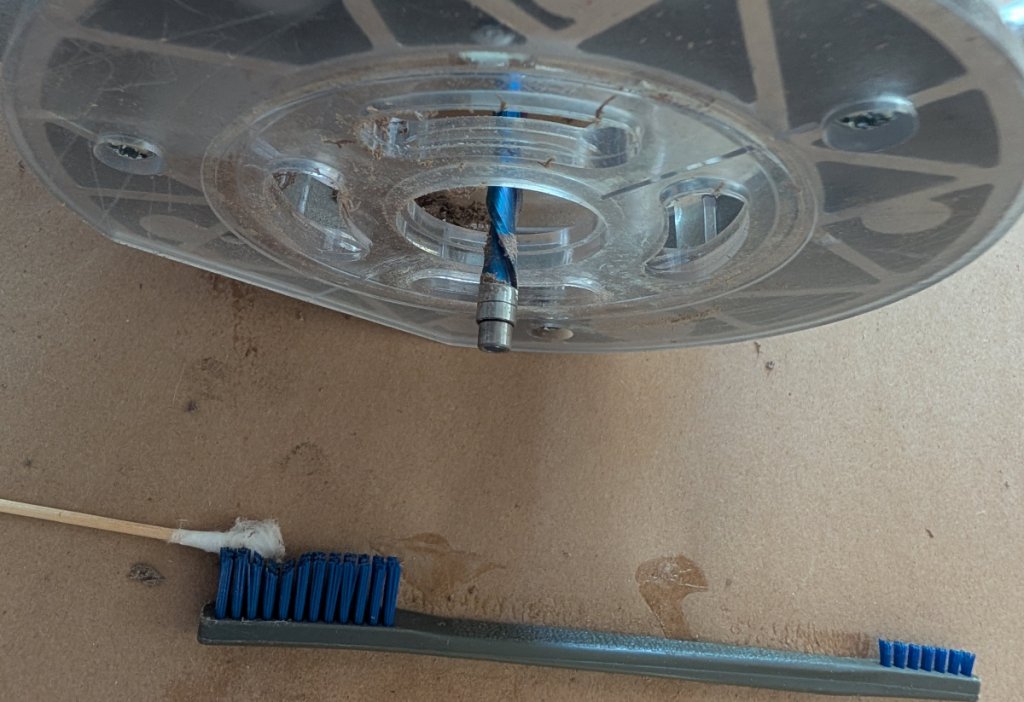
Figure 25 shows the contact-cement residue that I was getting when I trimmed the bottom veneer. In my case I used acetone, cotton swabs, and a nylon brush to repeatedly clean the flush-cut bit while trimming the cured veneers, as seen in figure 26.
Figure 25: Trimming Veneer with Router Exposes Contact Cement.
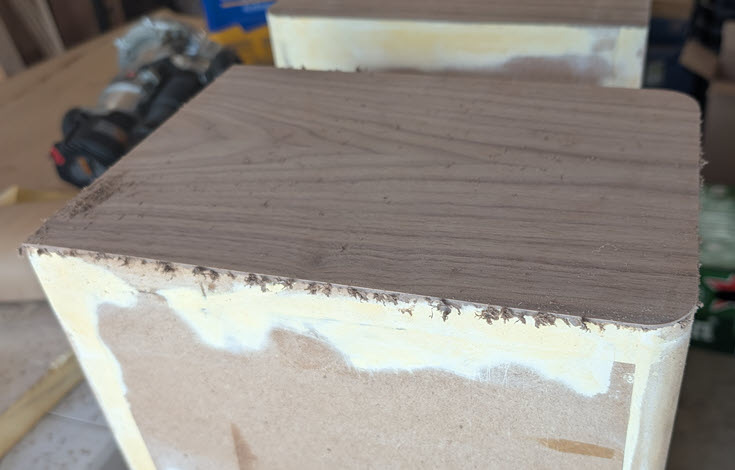
Figure 26: Cleaning Contact Cement from Router Flush-Cut Bit.
Jon Peters also said that
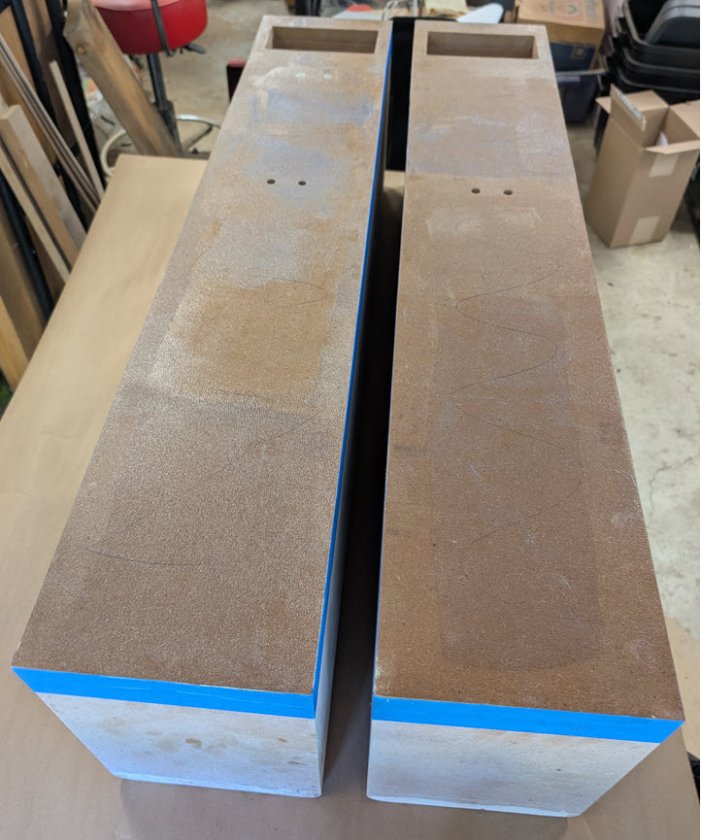
when you use the flush cut and clean it up, you're often left with almost like a little bit of a film and that can be difficult to get off and if you don't do it the right way you can end up with a problem. I always use 120 to 150 grit and you're going to sand kind of up along kind of like you're pushing that flap kind of up and kind of cutting it at the same time, and the reason why you wouldn't want to use a heavy grit paper is you could actually tear the fibers of the veneer off inside the surface of the finished piece so just be careful when you do it. But it's something that does take some time it's one of those boring details that's kind of hard to get into on a project video but every one of my edges I have to I have to kind of carefully it's just like this kind of a motion you're kind of sanding it and then you're like I could do it like this and then you kind of cut it you know so it's all about just sort of taking your time and not screwing up your project again don't use anything coarser than 120 or 150: that should work as far as anything else.Once I was happy with my veneering on the cabinet bottoms, I started on the cabinet backs. The backs would hide the bottom edge, and the other veneer pieces would hide the other three back edges. I haven’t yet said, but the MDF substrate and the paper backing of the veneer must be scuffed with 80-grit sandpaper to increase grip with the contact cement. Figure 27 shows the backs of the cabinets with contact cement applied and dried enough to allow the veneer to be applied. The cement looks splotchy, but it seemed to work. When the contact cement is ready for adhesion, the finish should be shiny, not cloudy. I think I overlapped some sections and caused the dull appearance.
Note that I used blue painters’ tape to mask places where I didn’t want contact cement to spill over. This is especially important for surfaces that are already veneered, like the bottoms. I learned that this tape should be removed once the cement sets and is ready for veneer. If I wait 24 hours for the cement to cure, that masking tape is hard to remove!
Figure 27: Contact Cement on Back of Cabinets Ready for Veneer.
With the bottoms and backs veneered, it was time for the 800-pound gorilla. I needed to apply contact cement to the back of a sheet of veneer that was 34” wide and 44” tall as quickly as I could, then apply the cement to the sides and front of a cabinet. I cut at least two long sheets of construction paper to cover the table so I could apply cement to the veneer, then set the veneer aside and drop a second sheet of paper on the first to cover any contact cement that was there. Then I could rest the cabinet on its back on top of spacers that allowed the excess veneer to hang above the table when applied.
My pickiness with centering veneer joints was aided by using a laser lever that was set up while the contact cement was drying to the point of applying the veneer. I got close to the middle of the cabinet, and that has to be good enough because once the veneer “contacts,” it’s stuck. The veneered result is shown in figure 28.
Figure 28: Veneer Wrapping Front and Both Sides.

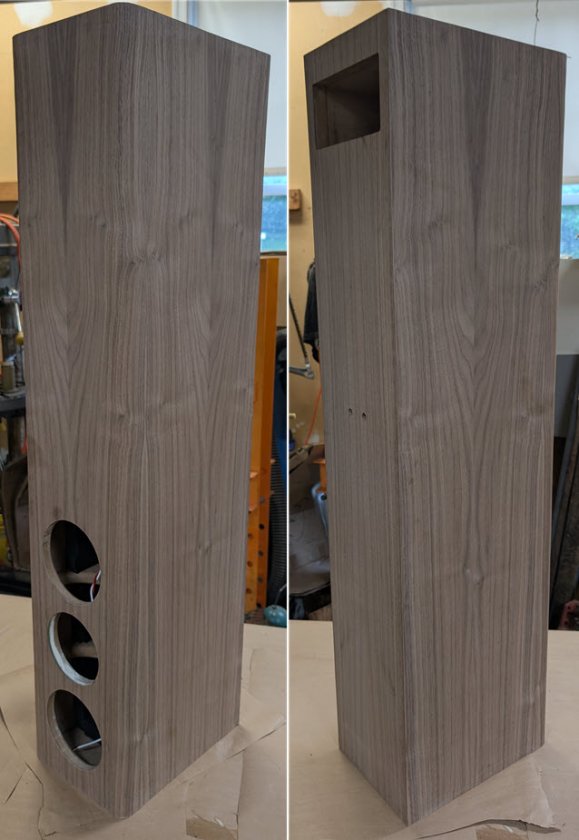
After I trimmed the edges with a router, cleaned the contact cement with a sanding block, and trimmed the driver and port holes with a router, I ended up with the cabinet shown in figure 29 that is standing on its head because that’s the last surface that wasn’t veneered yet. It looked pretty good for a first veneer job. The tweeter hole had a slight recess at its outer diameter that is too shallow for the flush-trim bit to trim: I had to cut the excess veneer over the recess away by hand.
Figure 29: Speaker Cabinet Veneered on Five Sides, Sitting on Its Top.
Now that the cabinets were veneered, I added two sets of Dayton Audio DSS4-BK Black Speaker Spikes to the bottoms. The instructions indicated that the spikes should be mounted 1-1/2” from all sides, but my cabinets are narrow, so I mounted them 7/8” from the sides as seen in figure 30. The original speaker plans show an additional base that measures 14” by 15,” and I may need to add such a base if the cabinets are not stable when standing. I guess I can bolt the base to the spike inserts!
Figure 30:Speaker Spike Inserts on Cabinet Bottom.


